AI for career preparation is now a standard part of the job search, not a shortcut, not cheating. Students and graduates applying domestically are dealing with higher application volumes, tougher ATS filters, and more competitive interview processes than previous generations faced. The right AI tools help you move faster and apply smarter. But using them without understanding the risks, especially around your personal data, is a mistake you'll want to avoid.

A 2025 employer survey by Oregon State University, based on responses from 197 employers, found that AI skills requirements in entry-level roles are rising but not yet a widespread expectation. That window won't stay open long. Meanwhile, the U.S. Bureau of Labor Statistics projects AI-related occupations will grow by over 26% through 2033. Getting familiar with these tools now puts you ahead of most of your competition.

Here's what you need to know.


How to Use AI for Career Development

Most AI career tools fall into four categories: resume builders, job matchers, cover letter generators, and interview prep platforms. Some combine several of these into a single dashboard.

They work by analyzing language patterns, comparing your resume to a job description, flagging missing keywords, suggesting stronger phrasing, or simulating interview questions based on the role you're targeting. The better tools also check formatting compatibility with Applicant Tracking Systems, which is often the first barrier between your application and a human recruiter.

What AI tools cannot do is capture your individual story, your reasons for applying, or the specific value you bring to a role. They also can't network on your behalf, pick up on a recruiter's tone, or read the room in a live interview. Understanding that distinction matters before you start relying on them.

The National Career Development Association identifies AI tools as useful for brainstorming interview questions, drafting resume bullet points, and generating cover letter ideas, while cautioning against using AI to complete and submit full applications without your review.


Building a Resume That Gets Past the Bots

More than 99% of Fortune 500 companies use Applicant Tracking Systems to screen resumes before a human ever reads them. If your formatting is wrong or your keywords don't match the job description, your application gets filtered out regardless of your qualifications. Jobscan's State of the Job Search 2025 report puts it plainly: 99.7% of recruiters use keyword filters in their ATS to sort and prioritize applicants.

AI resume tools like Jobscan and Rezi compare your resume to a specific job posting and give you a keyword match score. A score between 65 and 75% is generally considered strong. Going higher risks keyword stuffing, which experienced recruiters notice immediately.

Formatting rules that affect ATS parsing:

  • Use a single-column layout. Multi-column designs confuse ATS parsers and can cause your experience to be read out of order or skipped entirely.

  • Submit in .docx format unless the posting explicitly asks for a PDF.

  • Use standard section headers: Work Experience, Education, Skills. Creative alternatives like "Where I've Been" won't be recognized.

  • Avoid graphics, icons, tables, and skill bar visuals. These elements are invisible to most ATS software.

  • Spell out acronyms alongside their full form on first use. An ATS searching for "Search Engine Optimization" may not match "SEO" and vice versa.

Getting the most from AI resume tools:

Give the tool specific inputs: your actual job title, the skills you want highlighted, quantified achievements from your experience, and the exact role you're targeting. Generic prompts produce generic output. Career educators at Tulane University note that AI tools often don't capture the full scope of a student's experience, which reduces the value conveyed to employers.

Review every line the AI produces. Rewrite anything that doesn't sound like you. You'll be interviewed on the content of your resume, and if you can't speak naturally to a bullet point you submitted, that's a problem. The goal is a resume that's both machine-readable and genuinely representative of your background.

For students in creative fields, Kickresume offers six months of free premium access to students and teachers, and its templates are designed with ATS compatibility in mind, though you should avoid its more decorative layouts.


Writing Cover Letters That Don't Sound Like AI Wrote Them

AI tools are useful for drafting a structural framework: an opening that connects your background to the role, a middle section highlighting relevant experience, and a closing with a clear call to action. What they're not good at is the specific, personal detail that makes a cover letter worth reading.

Careerflow has a built-in cover letter generator that pulls from your resume and the job description. ChatGPT, Claude, and Gemini can do the same with a well-constructed prompt. Start with something like: "Write a cover letter opening for a marketing coordinator role at a mid-size tech company. My background includes X, Y, and Z. The job description emphasizes A and B."

Then rewrite the opening paragraph entirely in your own voice. Add one or two specific examples that the AI couldn't have known: a project outcome, a professor's feedback, a result from an internship. That specificity is what separates a read cover letter from a skipped one.

One practical note: keep cover letters to under 400 words. Recruiters don't read long ones.


Which AI Tool Is Best for Career Guidance?

alt="Horizontal bar chart comparing AI tools used by job seekers. Resume builders show the highest usage rate, followed by interview practice tools and job description analyzers. Fewer respondents report using AI for networking messages and portfolio reviews. Bar length represents percentage of surveyed job seekers using each tool. See accompanying data table for exact percentages."

There's no single answer. The best tool depends on where you are in the process. Here's a practical breakdown:

  • Resume building and ATS optimization: Jobscan and Rezi are the strongest options for keyword matching and format checking. Kickresume is the best pick for students who want design flexibility with ATS-safe templates.

  • Job matching and discovery: Career.io and Jobright use machine learning to surface relevant roles beyond keyword-only searches.

  • Interview prep: Final Round AI offers structured mock sessions with real-time feedback. Exponent Practice adds peer-matching and is particularly strong for technical roles.

  • LinkedIn and cover letter drafting: Careerflow handles both, and its free tier covers most of what students need.

  • General career coaching and research: ChatGPT, Claude, and Gemini are useful for open-ended questions, career path exploration, and drafting, covered in detail in the next section.

For most students starting out, a combination of Jobscan for resume checks, Careerflow for job tracking and LinkedIn, and a general AI model for drafting covers the majority of use cases without paying for multiple subscriptions.


Can You Use ChatGPT as a Career Coach?

Yes, with clear expectations about what it can and can't do.

ChatGPT is effective for structured tasks: drafting documents, generating interview questions, researching industries, mapping out career paths, and identifying skill gaps. A useful starting prompt is: "Take on the role of an experienced career coach specializing in [your industry]. My current situation is [describe it]. My career goals are [outline them]. Ask me questions one at a time to help me clarify my next steps."

The specificity of your prompt directly shapes the quality of the output. Vague inputs produce generic advice. The more context you give, your degree, your target role, your current situation, the more targeted the response.

That said, ChatGPT has real limitations as a career coach. It isn't licensed or certified in any professional field. Its guidance is based on patterns in training data, not lived experience in your industry. It can't read non-verbal cues, hold you accountable over time, or pick up on the kind of nuance an experienced advisor brings to a conversation. As the National Career Development Association puts it, AI can edit a resume or summarize a job description, but it cannot replace the human expertise and personal interaction required for truly effective career guidance.

It also can't remember past conversations unless you're in the same session. Each time you open a new chat, it starts from scratch. If you want continuity, paste a brief summary of your situation at the start of each session.

Use ChatGPT for preparation, exploration, and drafting. Use your university career center, a mentor, or a professional advisor for the decisions that actually matter.


Preparing for Interviews with AI

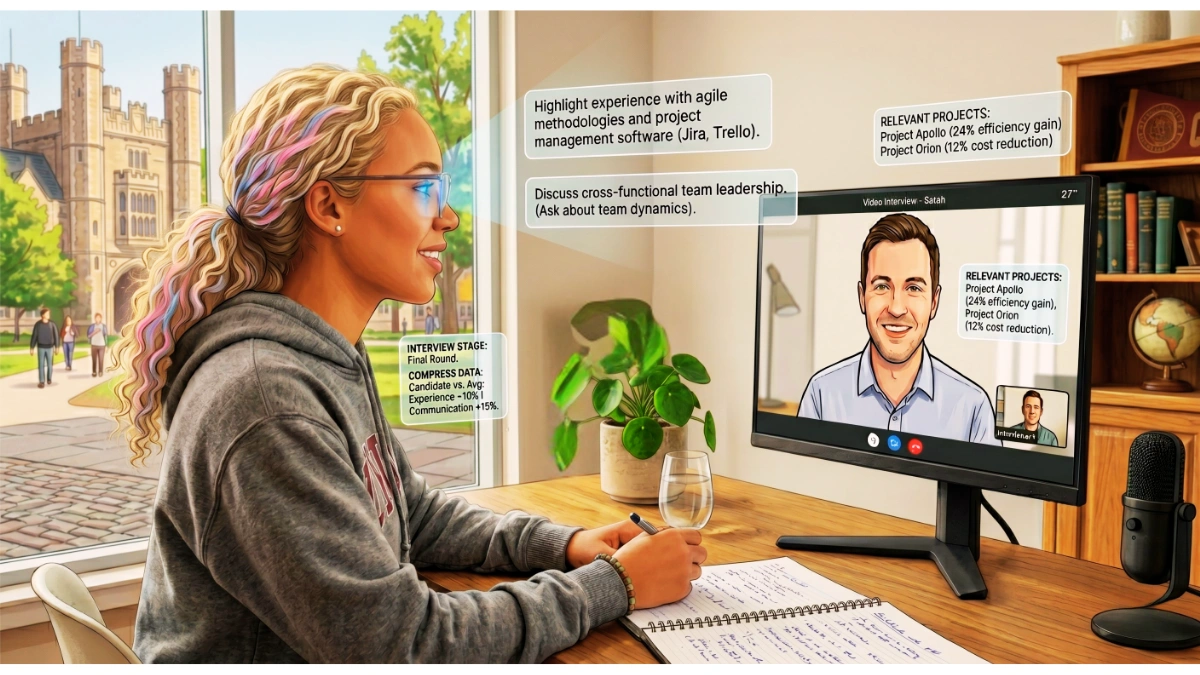
Interview prep is one of the strongest use cases for AI in the job search. It gives you a low-stakes environment to practice answers, hear feedback, and build confidence before a real conversation.

Final Round AI and Exponent Practice offer simulated interview sessions with real-time feedback on pacing, answer structure, filler word use, and content relevance. Exponent also includes peer-matching for technical roles and is particularly useful for behavioral questions, the "tell me about a time when" format that most students underprepare for.

Run through the same question multiple times with different framing. AI feedback will tell you whether your answer hit the key points and whether your pacing was off. It won't tell you whether you came across as genuinely enthusiastic or whether your tone was flat. That requires a human listener.

AI practice gives you volume. Human feedback gives you calibration. A career advisor, a peer who has recently gone through similar interviews, or a professional in your target field will catch things AI misses: a rehearsed delivery, a weak example, an answer that technically covers the question but doesn't land.

Before any interview, use AI to research the company, pulling together recent news, product launches, and stated values. Then verify every claim. Oregon State University's career center points out that AI hallucination rates range between 10% and 38% depending on model and prompt quality. Cross-check key facts against the company's own website before you walk in.


Optimizing Your LinkedIn Profile

Your LinkedIn profile is often the first thing a recruiter looks at after your resume makes it through ATS screening. LinkedIn has built-in AI suggestions for profile sections, and Careerflow provides a standalone audit that flags keyword gaps against your target roles.

LinkedIn reports that profiles with complete information receive 40x more opportunities than incomplete ones. According to LinkedIn's own corporate communications team, members who include volunteer experience receive up to six times more profile views than those who don't, a useful edge for students with limited formal work history.

Your headline matters more than most students realize. It appears in search results and recruiter dashboards before anything else, and LinkedIn's algorithm weights it heavily in candidate searches. Don't leave it as your default graduation year and university name. Include the role you're targeting, two or three relevant skills, and any notable credentials.

Keep your LinkedIn consistent with your resume. Discrepancies in job titles, dates, or responsibilities raise flags with recruiters. According to Elmhurst University's career guidance, over 72% of recruiters depend on LinkedIn to source candidates, making it one of the highest-return investments of your job search time.


Which Jobs Will Survive AI?

This is worth understanding before you invest years in a career path.

The roles most resistant to automation share a common thread: they require human judgment, physical presence, emotional connection, or creative decision-making that AI can't reliably replicate. According to National University's analysis of U.S. Bureau of Labor Statistics data, the three broad categories with the strongest automation resistance are:

Healthcare. Nurse practitioners are projected to grow by 52% from 2023 to 2033. Patient care requires empathy, split-second judgment, and physical interaction, things AI can assist but not replace.

Skilled trades. Electricians, plumbers, HVAC technicians, and renewable energy installers work in unpredictable physical environments where robots consistently underperform. Demand is growing, and the shortage of trained tradespeople is pushing wages up.

Cybersecurity. The U.S. Bureau of Labor Statistics projects 32% growth in information security analyst jobs through 2032. Cyber threats evolve through human creativity, and defending against them requires the same.

Beyond these three, roles in education, mental health, complex engineering, and AI development itself are also considered strong long-term bets. The common factor across all of them is that AI augments the work rather than replaces it.

The broader point: the professionals who thrive won't be those who avoid AI, but those who learn to use it well. Workers who use AI tools consistently are already commanding higher salaries than those who don't, according to PwC's 2025 AI Jobs Barometer.


Data Privacy: The Part Most Students Skip

This is where avoidable mistakes happen, and the consequences can follow you.

When you sign up for an AI career tool, you're sharing your name, contact details, employment history, education, skills, and career goals at minimum. Some platforms also collect behavioral data about how you use the tool, what roles you click on, and how you describe yourself in prompts.

The National Association of Colleges and Employers warns that once information is entered into generative AI platforms, there is no reliable way to track how it is used. It can be accessed, recycled, or used to train future models with no trail of accountability.

Some AI recruitment tools also scrape social media profiles and can infer personal attributes including gender, political views, and health information. Under federal law, including the Americans with Disabilities Act and Equal Employment Opportunity regulations, these attributes cannot legally influence hiring decisions. But the data collection still happens, and the risk falls on you as the applicant.

Read the privacy policy before creating an account. Look for answers to three specific questions:

  1. Does the company sell your data to third parties?

  2. Is your data used to train their AI model?

  3. Can you delete your data, and how?

Stanford University's Human-Centered AI Institute notes that AI systems collect data at a scale that gives users far less control over what's gathered and what it's used for compared to traditional software. If a tool's privacy policy is buried, vague, or absent, that's your answer.

Never enter into an AI tool:

  • Your Social Security number or any government-issued ID number

  • Your home address. Use city and state only.

  • References' personal contact information

  • Any banking or financial details

  • Medical history or disability information

Tools offered through your university career center typically operate under institutional data agreements that restrict how vendors can use your information. EU-based tools subject to GDPR and California-based tools governed by the California Privacy Protection Act carry stronger protections than most free consumer platforms. Check which regulatory framework the tool operates under before you sign up.


Common Mistakes to Avoid

Using generic prompts. "Write me a resume" produces a generic resume. "Write three bullet points for a data analyst internship role at a financial services company, based on my experience managing Excel dashboards and presenting findings to a five-person team" produces something usable.

Letting AI submit applications for you. Auto-fill tools can enter incorrect, outdated, or mismatched information without your knowledge. Always review before submitting.

Trusting AI on industry trends. Most AI models have a training cutoff. Oregon State University's career center notes that recent ChatGPT versions have a knowledge cutoff of September 2024. Information about recent layoffs, new tools, or shifting hiring requirements may be missing or wrong.

Over-polishing to the point of losing your voice. Hiring managers read a lot of AI-assisted applications. What stands out is specificity and a distinct perspective, two things AI can only approximate from the inputs you give it.


What AI Can't Replace

AI handles pattern-matching efficiently. It doesn't replace networking, mentorship, or the human judgment that hiring managers look for when deciding between two qualified candidates.

Career educators consistently point out that hidden job opportunities, roles filled through referrals before they're ever posted, don't appear in listings and AI tools can't find them. They come from conversations with people already working in your target field: informational interviews, industry events, alumni connections, and LinkedIn outreach.

Use AI to prepare more efficiently. Use that saved time for the parts of the job search that actually require you to be present: building real professional relationships, following up with intention, and showing up to interviews as a person, not a polished document.


Putting It Into Practice

Start with one tool and use it well before adding more. If your resume hasn't been ATS-checked, run it through Jobscan against two or three job postings you're genuinely interested in. If you have an interview coming up, practice your answers with Final Round AI or Exponent, then ask a peer or advisor to run you through the same questions.

AI for career preparation is a practical advantage, but only if you use it with intention, protect your data, and keep the parts of your application that make you distinct entirely your own.